For small restaurants, cafés & food trucks

Orders, kitchen and bills — on the phones you already have.

Guests order from a QR menu with your name on it. It chimes on your counter. You bill the table, print it, and see tonight's takings. No card readers, no terminals, no contract.

The demo is a real, working restaurant — your own copy, right in your browser.

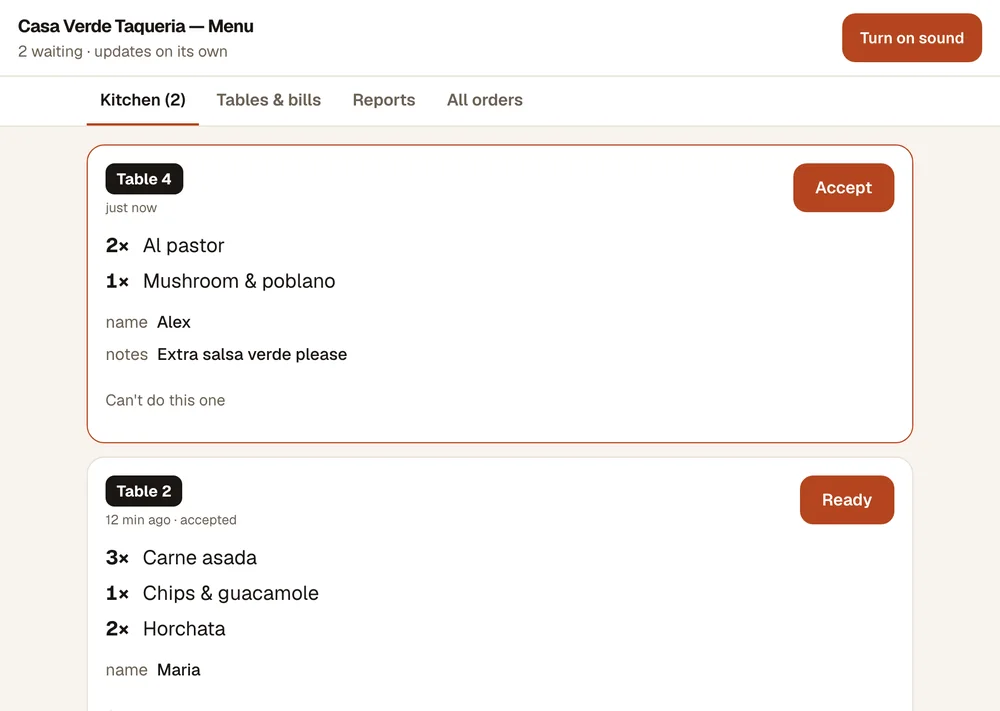
The kitchen screen
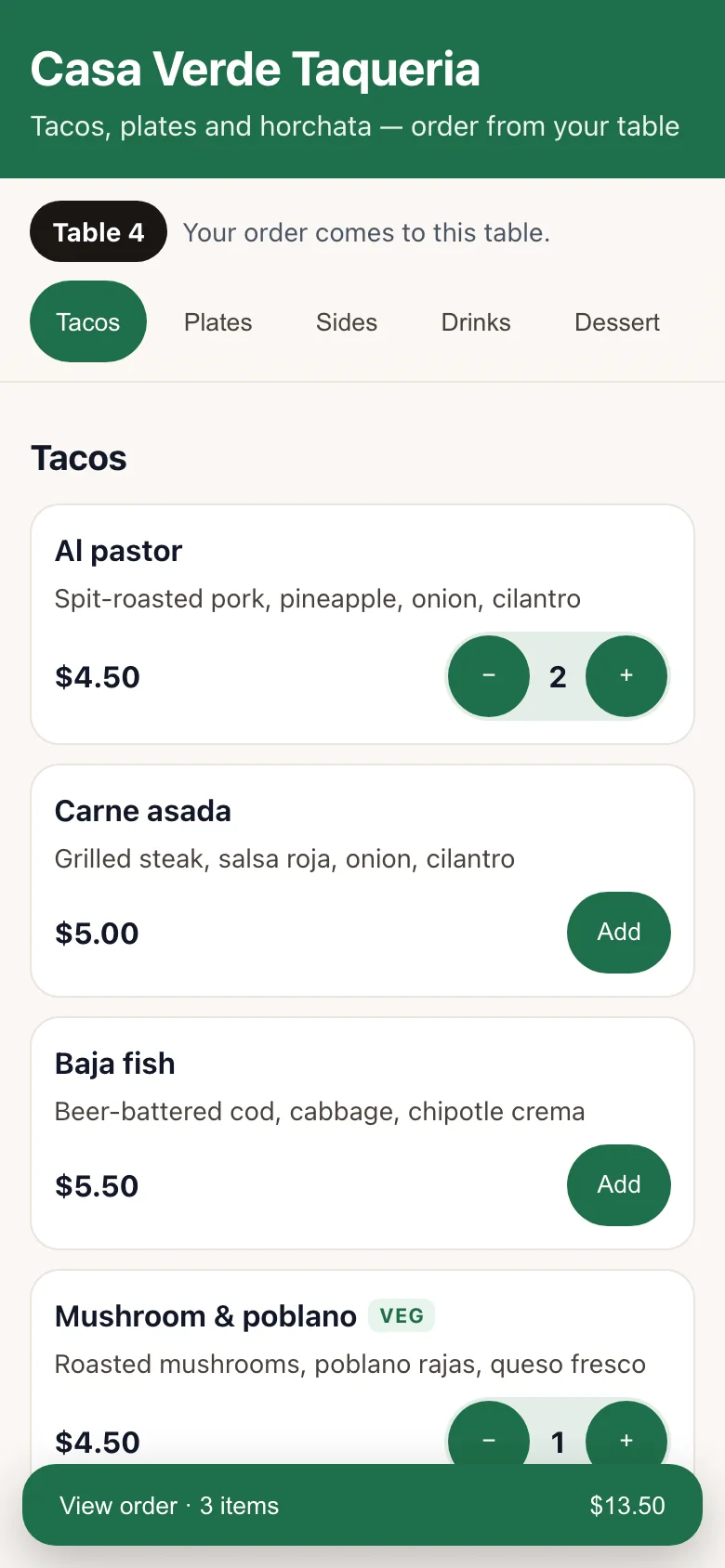
The guest's menu on a phone, with the table number

What no other menu does

Not just a menu on a phone. A menu that talks back.

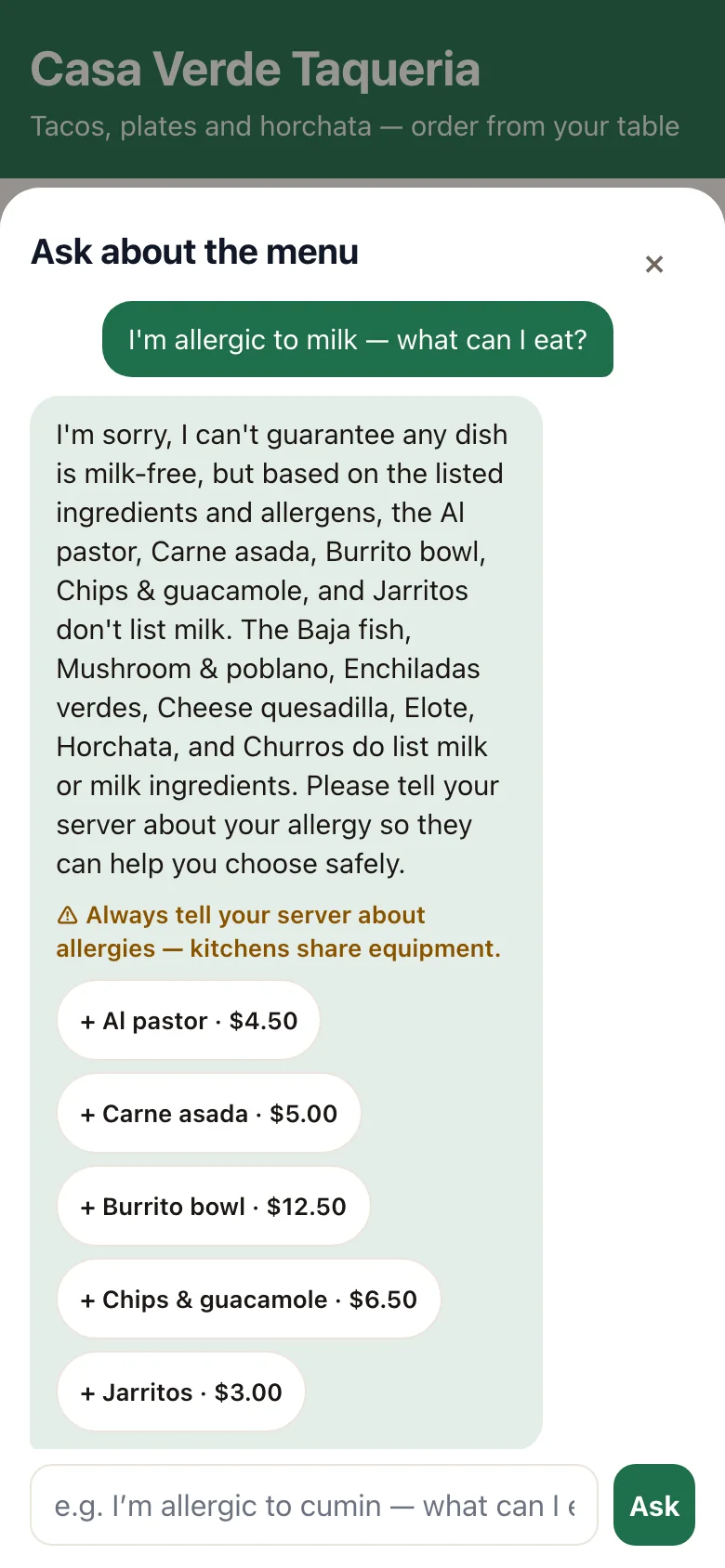
A guest asks which dishes have no milk and gets an answer from the restaurant's own ingredients

Ask the menu

Guests ask your menu anything

“I’m allergic to cumin — what can I eat?” “What’s not spicy?” It answers from your own recipes and ingredients, suggests dishes with one-tap add, and when it doesn’t know what’s in something it says “ask staff” — it never guesses.
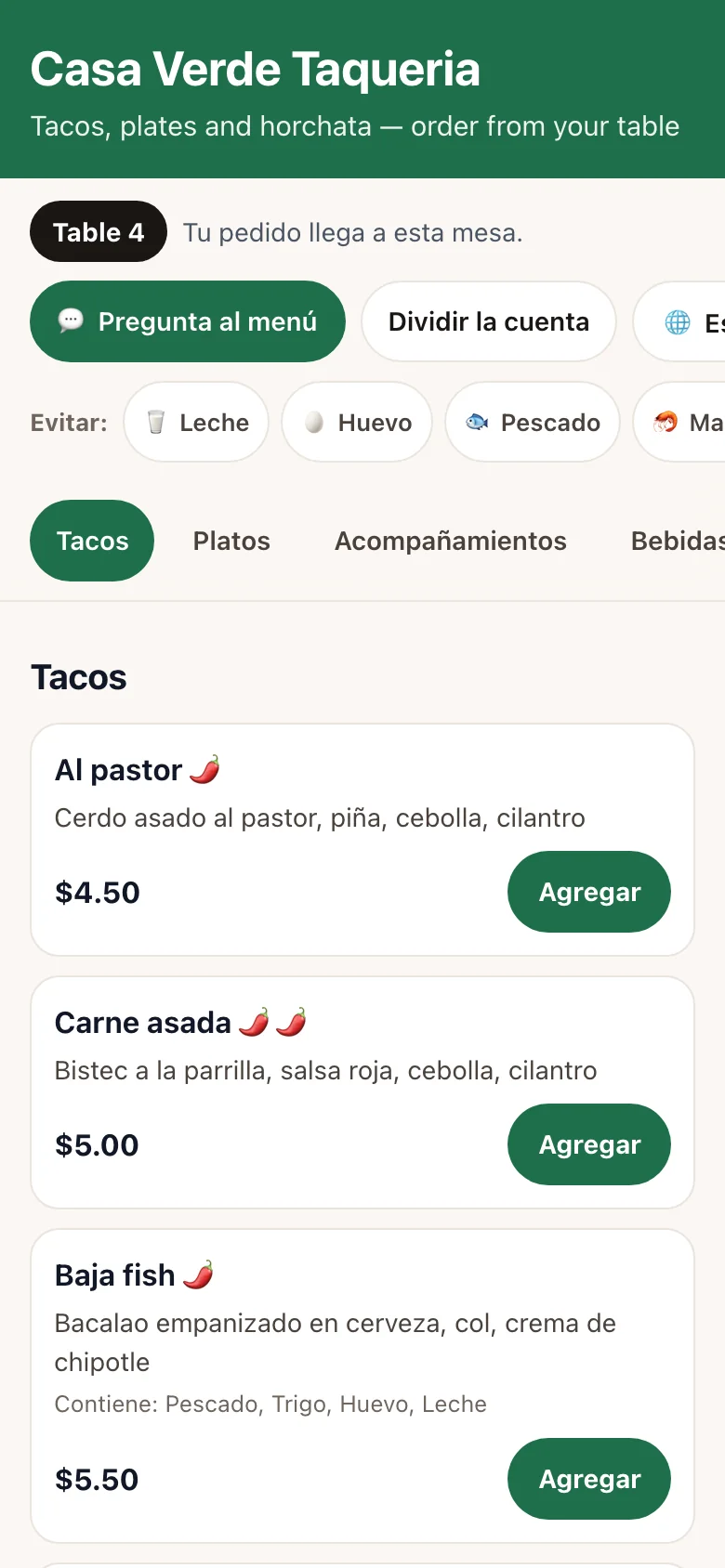
The same menu shown in Spanish

Six languages

Every guest reads it in their language

Spanish, Chinese, Vietnamese, Korean, Tagalog and English — translated the moment you change the menu. The kitchen still gets the order by the dish name it knows.

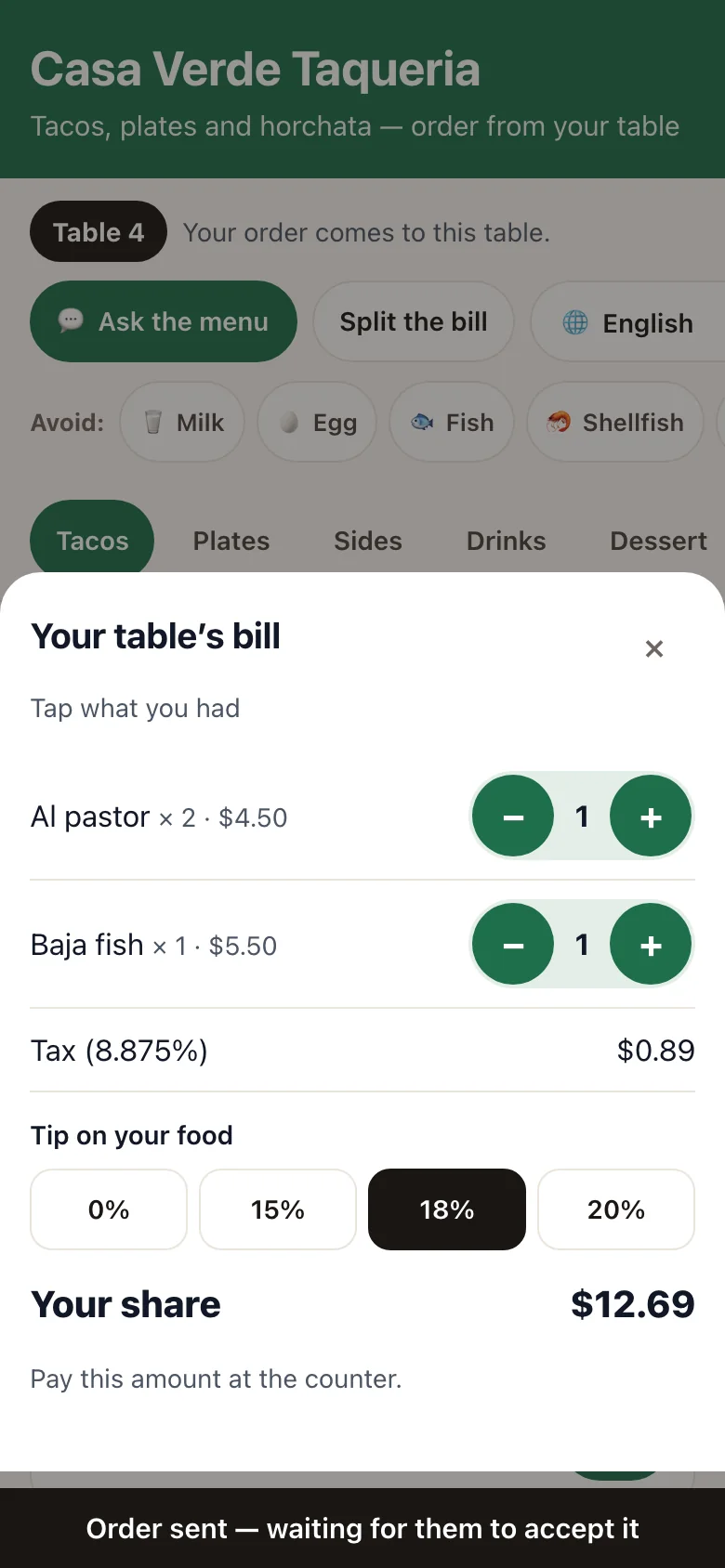
A guest's share of the table's bill with tax and tip

Split the bill

Friends split it at the table

Each person taps what they had, picks a tip on the food (not the tax), and pays their share straight to your PayPal, Venmo, Cash App or Square.

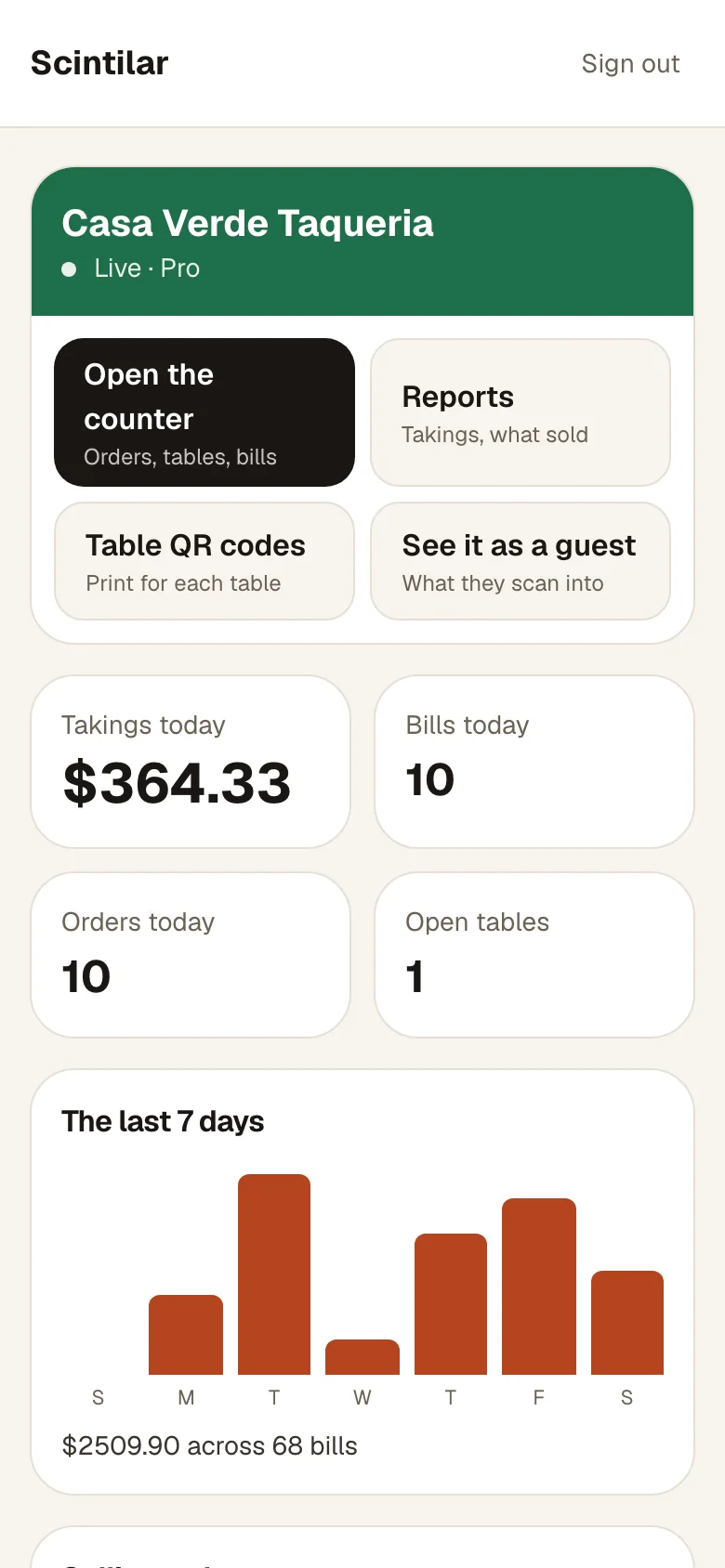
The owner's dashboard with today's takings and orders

Your dashboard

Run it all from your phone

Tonight’s takings and orders as they land. Change the menu by just saying it — “out of carnitas, tacos up 50 cents”. A prep note for tomorrow from what actually sold. And a list of regulars who asked for your offers.

One night at your restaurant

From the table to the takings, nothing falls through.

1

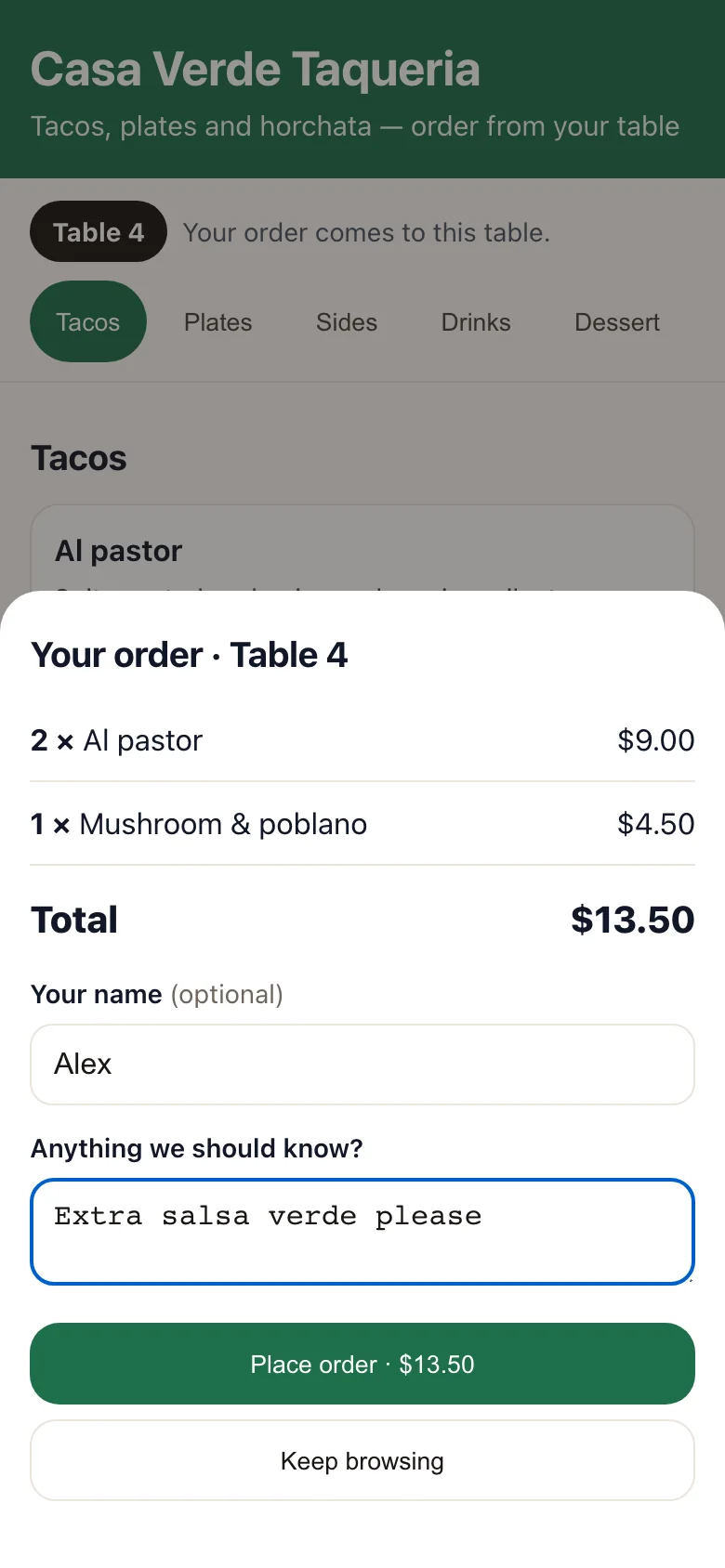
They scan, they order

Each table has its own QR code, so the order already knows where it's going. Guests add dishes, leave a note — "extra salsa verde" — and send it. No app, no account.

A guest's order on their phone, ready to send
2

It chimes in the kitchen

Orders land on any tablet or laptop with the table number in big type and a chime. Accept, then Ready — and the guest watches it move on their own phone.

The kitchen screen with orders for tables 4 and 2
3

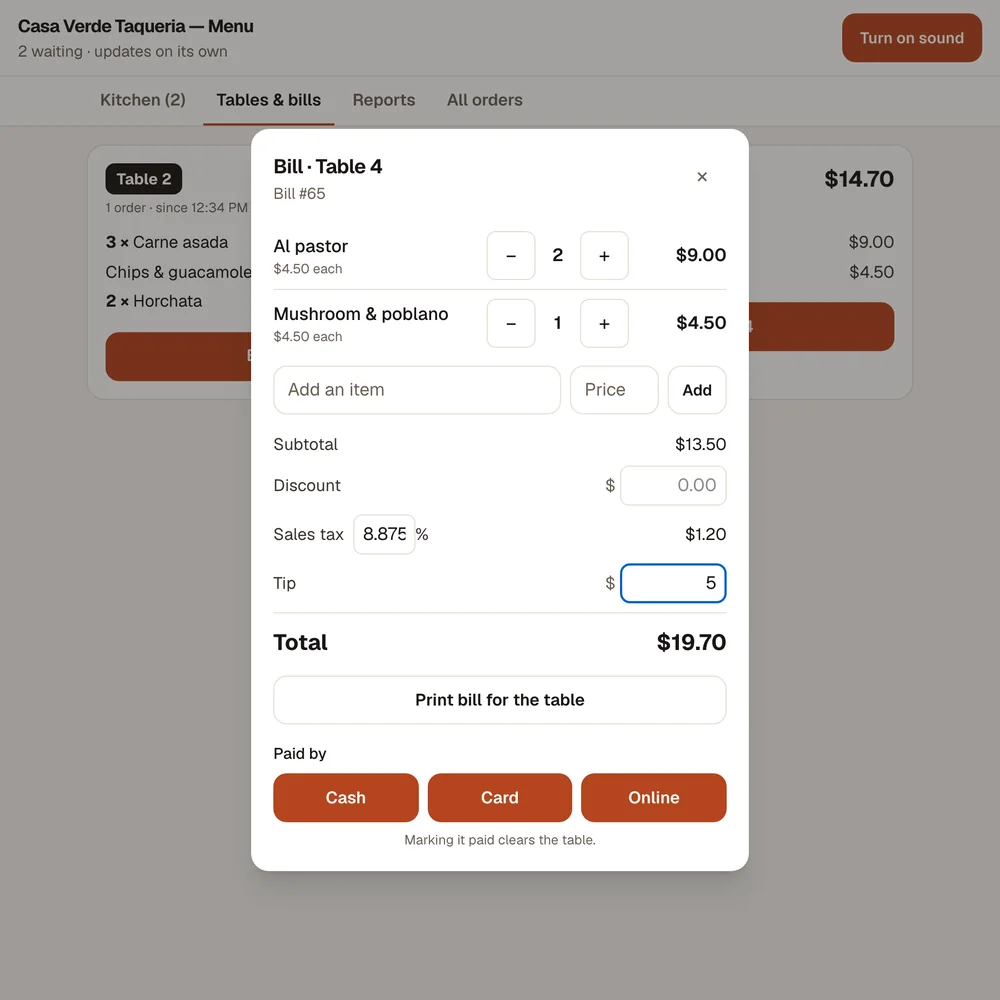
Bill the table in two taps

Every round adds itself to the table. Tax, tip and discount are worked out for you. Print it for the table, then mark it cash, card or paid online.

A bill for table 4 with tax and tip
4

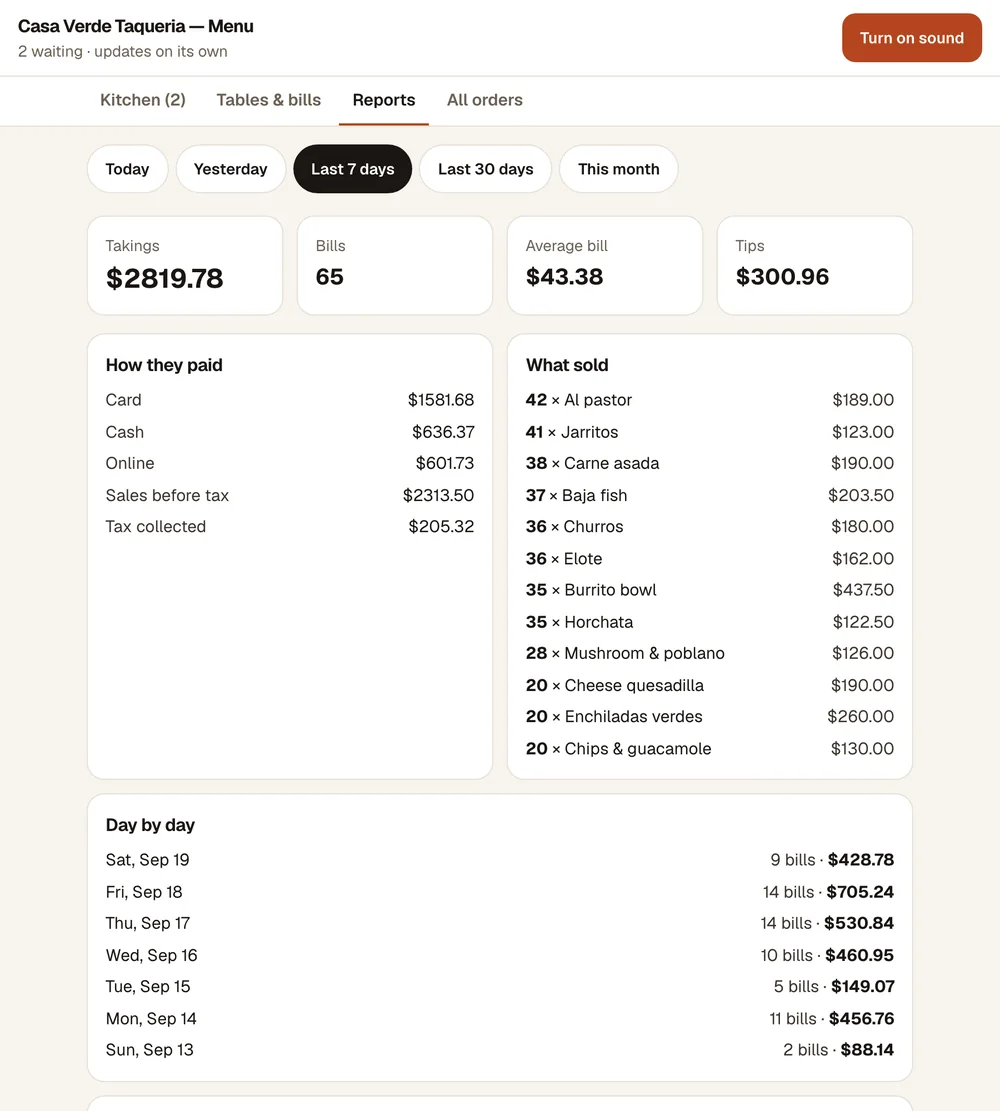
Know how the night went

Takings, tips, cash against card, tax collected and what sold best — tonight, this week, this month. A CSV for your accountant on Pro.

A week of takings, tips and best sellers

Your brand, not ours

Your logo, your colours and your cover photo on every page a guest sees.

Allergen filter

Guests tap “avoid milk” and those dishes step aside. Dishes you haven’t described are marked “ask staff”.

Change the menu in seconds

New price, sold out, today's special — from your phone, live on every table.

Paid straight to you

Guests can pay your own PayPal, Venmo, Cash App or Square. We never touch the money.

Nothing to install

Works on the phones, tablet or laptop you already have. Any printer for bills.

A simple Toast alternative, for the size you are

Big restaurant systems are built for big restaurants. If you run a small room or a truck, you may not need the hardware or the contract.

Hardware

Scintilar · The phones, tablet or laptop you have

Typical POS · Usually their terminals and readers

Getting started

Scintilar · Minutes

Typical POS · Often days, with an install

Contract

Scintilar · Monthly, cancel any time

Typical POS · Often a term contract

Card fees

Scintilar · Your own PayPal, Venmo, Cash App or Square — no cut to us

Typical POS · Usually through them, a % of every sale

Price

Scintilar · $19 a month

Typical POS · Varies; hardware and fees on top

Toast is a trademark of Toast, Inc. We are not affiliated with it; “typical” is general, not a statement about any one company's current pricing.

Simple monthly pricing

No hardware, no setup fee, no cut of your sales.

Starter

Run tonight

$19/month

  • QR menu and ordering, in 6 languages
  • Ask-the-menu assistant (500 questions/mo)
  • Kitchen screen, table bills, split the bill
  • Guests pay you directly
  • Your dashboard + today's takings
Get Starter
Most useful

Pro

Run the business

$29/month

  • Everything in Starter
  • Assistant: 2,000 questions/mo
  • Tomorrow's prep note from your sales
  • Every past night, every order, searchable
  • CSV for your accountant
Get Pro

Monthly, cancel any time. By subscribing you agree to our Terms of Use and Privacy Policy. Already paid? Enter your key.

Questions

Can guests trust the assistant with allergies?+

It only answers from the ingredients and allergens you enter — it never guesses from a dish’s name, says “ask staff” when a dish has no ingredient list, and tells every guest with an allergy to tell their server, because kitchens share equipment. It helps guests choose; it doesn’t replace your staff.

Can I collect guests’ numbers for offers?+

Yes — guests can tick “text me offers” when they order (never ticked for them). You get a list of those regulars with when they agreed, to use in your own texting tool.

What do I need?+

Any phone, tablet or laptop with a browser for the counter, and a printer if you want paper. Guests use their own phones.

Can guests pay at the table?+

Yes, if you add your PayPal, Venmo, Cash App or Square link — the money goes straight to you. Or they pay at the counter as they do now, and you mark the bill cash or card.

Do guests need an app or an account?+

No. They scan, order, and watch their order on the same page.

Starter or Pro?+

Starter runs tonight: menu, ordering, kitchen, bills and today's takings. Pro adds every past night — any day or month, every old order, and a CSV for your accountant.

See it before you pay a cent.

Order from a guest's phone, watch it chime on the counter, bill the table. Two minutes, no sign-up.

Try the live restaurant →